
Category: Improvement
What to Check Before Starting a Kitchen or Bathroom Renovation
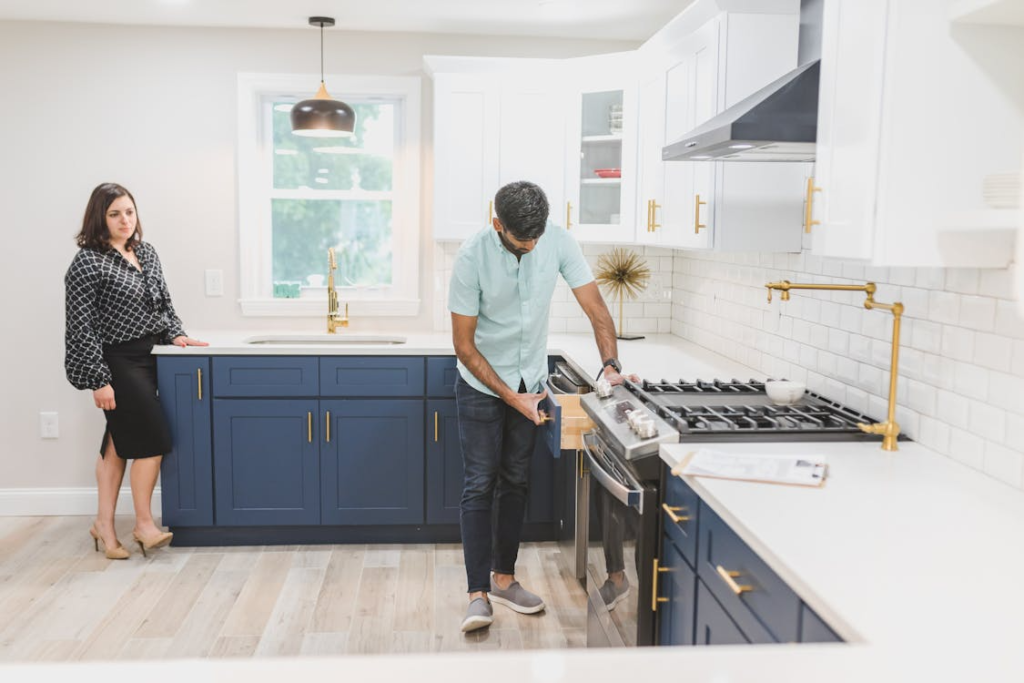
Thinking about renovating your kitchen or bathroom?
Most people start with tiles, countertops & fixtures. Let’s be honest though….that’s the fun stuff.
Here’s the important bit that gets overlooked.
Your drains.
Doing a blocked drain diagnosis before starting renovation work could save you thousands of pounds in unnecessary costs. It will also save you weeks, if not months of headache.
But most homeowners never think about their drains until it’s too late…
And that’s the frustrating part.
Because there’s an easy way to prevent drainage problems ruining your renovation plans.
Let’s take a look at what you need to consider.
What you’ll learn:
- Why Drainage Should Be First On Your Pre-Renovation Checklist
- What To Look For Before Work Starts On Your Drains
- Simple Signs That You Could Have a Drainage Problem
- Budget Ruining Problems and How To Fix Them
Why Drainage Should Be First On Your Pre-Renovation Checklist
Lets start with a couple of obvious facts.
Kitchens and bathrooms are the two rooms that get renovated most.
Bathroom renovations have recently taken over kitchens as the most popular home upgrade. They both tied at 24% in the 2024 Houzz & Home Study. But kitchens are not far behind at 23%.
That means hundreds of thousands of kitchens and bathrooms are torn apart every year in the UK.
But only a small percentage of those homeowners stop to ask “Why is my drain blocked?!” before renovation day arrives.
Ok… that may have been a slight exaggeration…
But you get the point. All houses have drains that keep the kitchen and bathroom flowing.
Both kitchens and bathrooms have appliances that connect to the drainage network. Showers, sinks, toilets….waste water from them all drains into hidden pipes under the home.
If these drains are blocked…half of your renovation is falling apart.
Repairing blocked drains. Finding hidden pipes. Digging up concrete floors.
Not ideal.
Do yourself a favour and have your drainage looked at PRIOR to starting any work.
Get a professional CCTV drain survey done. See what’s happening underground before you pull your bathroom sink off the wall.
You’ll be glad you did!
The Pre-Renovation Drainage Checklist
So your throwing your kitchen out and putting a bathroom in its place. But first….you should be looking at the drains. Here’s what to do.
Look for blockages
The easiest (and free) place to start is by simply running water in all your sinks, showers and baths. Watch how quickly it drains away.
Slow draining water is usually the first sign that a problem is lurking below.
Any visible drains? Check them too. Telltale signs of slow drains outside can also be spotted in guttering, external pipes and drains. Especially manholes.
They should all be free-flowing with no obstructions.
Get a Drain Survey
The only way to be 100% certain your drains are in good health is to look inside drainage pipes with a professional CCTV drain survey.
It takes about two hours and gives you peace of mind that all your drainage is working as it should.
You’ll also have a clear idea of what’s going on inside your pipes. Information you can share with your renovation team.
Preventative maintenance is always better than solving problems once they happen.
If you don’t know there is a problem, how will you know when it happens?!
This is especially important with drainage. You never know what’s going on down there until you take a look.
Simple.
Signs You Could Have a Blocked Drain
Already worried you may have a drain problem? Don’t stress yet.
Blocked drains don’t always require an expensive emergency call-out. If you know what to look for there are several tell-tale signs that even the most novice homeowner can spot.
If you have a kitchen or bathroom renovation coming up look out for:
- Slow drains in sinks and showers. Stop seeing things immediately drain!
- Gurgling pipes. That old tickling sound drains make when air is trapped by a blockage.
- Foul smells coming from plugholes.
- Any water backing up when you run the washing machine.
Fixing blocked drains suddenly became the most important part of your kitchen renovation. Avoid the stress….get it sorted first.
And worst case…..you can relax knowing your drainage is clear and ready for when the kitchen work starts.
Oh yeah…and here’s another thing….
If you’ve got a brand new rainfall shower set-up ready to install….and your drains are partially blocked.
They will get BLOCKED again.
And your amazing new shower will literally drain away your happiness.
Don’t let this happen to you.
Catch the problem before work begins and your new bathroom will work exactly how it should.
Drainage Problems That Blow Your Bathroom Renovation Budget
Okay… picture this….
You’ve decided to remodel your bathroom.
Slapping the hipster-filter on photos doesn’t take long when you have Ikea vanities at your disposal.
Everything is decided. Drawings are drawn. Materials ordered.
Renovation day arrives….
And guess what?
The builder discovers your pipes are old clay pots with tree roots growing in them.
Nice one.
Now the bathroom remodel cost just went up a few grand. Not only do you have to demo your bathroom. But possibly dig up the floor and replace ALL the pipes.
And all could have been avoided with a simple drain survey prior to renovation work beginning.
Evidence suggests up to 39% of homeowners went over budget on their renovation projects. A large amount of which was due to unplanned issues being discovered once the renovating had already started.
Headaches.
Drainage problems are no fun. Especially when you don’t know they are going to be an issue until your project has begun.
Talk to a plumber BEFORE work begins. Understand the condition of the drains. See if any problems are likely to cause issues when renovating.
Better yet…..get that pre-renovation drain survey done.
A drain survey gives peace of mind that no problems will occur later.
If they are there, the survey finds them. They can be dealt with…before work starts.
It’s worth it every time.
Tips to Getting Your Plumbing Renovation Ready
So how do you make sure your plumbing is ready for renovation? Here are a few simple tips to keep any surprises at bay.
- Book in for a CCTV drain survey. Professionals spend most of their days down drains advising homeowners on what they find. It’s always worth getting their expert opinion.
- Fix before you renovate. It’s far easier (and cheaper) to fix drains when your kitchen is still intact.
- Talk to the builder about the drainage. Does your renovation plan involve moving fixtures to new positions? If so…you may be cutting into drains!
- Ensure any changes to drains are regulated. There’s nothing worse than getting fined because the plumber didn’t mention something was going to happen.
There you have it!
Just because you’re renovating kitchens and bathrooms, doesn’t mean you should ignore your drains.
You rely on them to work every single day.
Start renovating with confidence by knowing what’s happening behind the scenes of your home.
Wrapping It Up
Renovating your kitchen or bathroom is meant to be exciting. Dreaming up ways you can improve your humble abode is half the fun.
Don’t let hidden drainage problems come along and dampen your spirits.
Save yourself the hassle and have your drains surveyed before work begins.
Remember…
- Check drains are flowing freely before starting work
- Book in for a professional drain survey
- Clear drains of any blockages/issues before renovating
- Communicate findings with your renovation team
- Check changes to drains aren’t contravening any building regulations
Drainage may not seem like the most important aspect to consider when renovating, but it really is.
Trust your drains.
Cabinet Painting Professionals: How Professional Painters Add Value Before Selling a Home

Looking to net the highest offer possible when selling your home?
If so, you’re likely scouring the internet for home improvement projects with the highest ROI. You’re not alone. But here’s the secret most homeowners don’t realize. Painting — especially cabinet painting — is one of the easiest ways to add value before selling a home.
Professional painters can make tired old homes look fresh and move-in ready in no time. And the best part?
It won’t break your bank account. Painting is…
- Affordable when compared to full remodels
- Quick to complete before listing with the right team
- Proven to create tremendous value
Let’s dig into the details. Data from Rocket Mortgage tells us the average ROI for painting interiors is 107%. In other words, homeowners recoup every dollar they spend on professional painting and then some when it’s time to sell.
Not too shabby.
Your options:
- Why Painting Is Important Before Selling
- Why Cabinet Painting Is The Best ROI
- What Rooms To Paint Before Selling
- How To Find Painting Contractors
Why Painting Is Important Before Selling
Homes do not sell themselves.
That sounds obvious, but your home will not magically receive offers from qualified buyers just because it’s priced well. Everything from curb appeal to the listing photos you choose will play a factor in getting those offers to come rolling in.
One of the most important things you can do before selling is paint.
Painting is important because it sets the stage for every other part of the sales process. If your home looks worn down and outdated, then it doesn’t matter how fabulous that open floor plan is or how nice your kitchen remodel was. Buyers see a home that needs work and they move on to the next house.
Cabinet painting professionals understand this better than anyone. Experienced Grand Rapids residential painters know exactly what buyers are looking for and can transform a dated home into a move-in ready listing fast. Painting sends a signal to buyers that you take care of your home. It’ll make your house feel cleaner and newer than it might actually be. When you’re selling you want buyers to focus on the good stuff, not what needs to be updated.
Why Cabinet Painting Is The Best ROI
Kitchens and bathrooms sell homes. For many buyers, these rooms are the biggest factors in making an offer. If you’re not willing to spend money on your kitchen cabinets before selling, you could be missing out on a huge opportunity to raise your home’s value.
The average kitchen remodel costs well over $20,000. Is it worth it? Depends on who you ask. Most people can’t afford a kitchen remodel, which means cabinet painting is the next best thing. Today’s buyers want updated white kitchens. Painting your cabinets can achieve that fresh, new kitchen look without spending thousands.
Thanks to improvements in paint and painting techniques, cabinet painting contractors can make your old cabinets look brand new. You can choose from a variety of finishes that mimic the look of granite or marble, wood, metal, and more. The 2025 Cost vs. Value Report shows that minor kitchen remodels — which include cabinet refinishing — now deliver a 113% ROI. That means homeowners are actually making money on the upgrade when they sell.
What Rooms To Paint Before Selling
You should paint any room that needs it before selling your home. A fresh coat of paint will help your home sell and can increase your home’s value. If the walls in your home are dull and lifeless, consider painting them a bright color. If you have stained wood floors, consider painting them white or another neutral color.
Now it’s time to really focus in on where you should spend your time (and money). Here’s what to focus on when painting before selling your home:
- Kitchen cabinets: As discussed above, painting cabinets will make your kitchen shine. It’s typically the most expensive room to remodel, so painting is a great way to save money.
- Front door and entryway: First impressions are everything. Make sure your front door and entryway are painted and look welcoming.
- Living areas: Again, you want to create a welcoming environment. Buyers should feel like they could walk into your living room and immediately picture themselves at home.
- Bathrooms: Fresh paint in the bathrooms will make them appear clean and new.
- Exterior of your home: Lastly, don’t forget about the exterior of your home. Make sure your home’s trim, fascia, and shutters are all painted and look nice. Another affordable way to improve your home’s curb appeal before selling is with fresh plantings.
How To Find Painting Contractors
Trust your gut.
Ok, that’s partially true. But you should also get quotes from multiple painting companies before making a decision. Ask lots of questions so you know what products and labour they’ll be using to paint your home.
A good painting company will offer something called a “bid”. This is a detailed quote that breaks down the costs of labour and material. No more guessing how much a paint job will cost. A professional painting contractor will send an accurate bid that matches your budget.
Happy house selling!
Cabinet Painting Contractors: Why Painters Are Essential When Selling Your Home
If you’re looking to sell your home fast, painting is a great way to go. Painting your home before selling it will help you sell your home faster and for more money. Before you sell your home, here are 5 reasons why you should hire painters when selling your home.
- Paint covers up flaws
- Paint brings out your home’s best features
- Paint makes your home look fresh and move-in ready
- Paint is one of the cheapest home improvements you can make
- Paint creates value before selling
Paint Covers Up Flaws
Let’s say you have some water damage on the ceilings in one of your bedrooms. Maybe you tried to DIY it and now it looks like a prison cell. Painting covers up these flaws so that they aren’t as noticeable to the buyer.
Paint Brings Out Your Home’s Best Features
When selling your home, you want to show off all of the great features your home has to offer. When you paint your home you automatically bring out those home features you love.
Paint Makes Your Home Look Fresh and Move-In Ready
If you have ever walked into a home that hasn’t been painted in many years, it can feel unpleasant. You immediately want to leave because it just looks dirty. When you paint your home before selling it, you are eliminating that feeling. You are making your home look fresh and move-in ready.
Paint Is One of the Cheapest Home Improvements You Can Make
Painting your home before selling doesn’t have to cost you an arm and a leg. There are plenty of DIY tricks and tips that can help you paint your home yourself. However, if you want to save time and ensure it’s done right, you should hire professional painters.
Paint Creates Value Before Selling
Home buyers are smarter than you think. They know when something isn’t done right. If you try to sell your home as-is and it needs paint, you could be losing money.
Instead of selling your home for what it is worth, you can sell it for what it could be. By painting your home before selling, you are creating value before selling.
What Makes a Chicken Coop Easy to Clean and Maintain Long Term?

A clean coop shapes flock health and reduces stress for the keeper. Strong design choices make daily and weekly care smoother across each season. Long-term maintenance depends on solid surfaces, clear access, and reliable airflow. Birds remain calmer when their home stays dry and organized. Smart features reduce workload while keeping routines predictable. Good planning supports healthier birds throughout their life cycle. Each part of the coop influences comfort and sanitation. Clean design becomes a major advantage for any flock.
1. A Large Chicken Coop With Clear Interior Space
A Large Chicken Coop gives the keeper room to handle cleaning tasks without squeezing through tight corners. Open floors allow better movement for quick waste removal. Birds stay calmer when they sense steady space around them. Clear zones reduce clutter that traps debris. Defined paths help guide daily routines with less effort. A wide interior also improves airflow that supports dry bedding. More room helps maintain order throughout each season. Space remains a major factor in long-term upkeep.
2. Removable Trays That Speed Up Daily Cleaning
Removable trays simplify waste control inside the coop. They slide out with ease and expose clear surfaces. The keeper can remove debris fast without disrupting hens. Clean trays reduce odor and support better hygiene. Birds respond well to fresh conditions each day. This feature keeps flooring free of buildup. Trays limit the spread of moisture that causes problems. A smooth cleaning rhythm begins with accessible trays.
3. Durable Flooring That Withstands Daily Wear
Strong flooring shapes long-term sanitation. Solid boards help prevent moisture from settling under layers. Birds move with confidence on firm surfaces. A sturdy floor makes scraping and brushing easier. The keeper spends less time on deep cleaning sessions. Damage-free flooring lasts through multiple seasons without heavy maintenance. Birds benefit from a consistent footing every day. A dependable floor forms the foundation of easy upkeep.
4. Strategic Ventilation That Keeps Air Dry
Ventilation supports clean air and stable bedding. Dry air reduces the chance of damp spots that cause trouble. Birds rest with ease when airflow feels steady. Vents help push stale air away from interior zones. Moist bedding becomes less of a concern with balanced air flow. Fresh air supports calmer behavior inside the coop. The keeper notices fewer odor issues with good vent placement. Ventilation becomes a core part of long-term cleanliness.
5. Wide Doors That Improve Keeper Access
Doors influence how smoothly maintenance tasks unfold. A wide door allows quick movement into the coop. The keeper can reach corners without strain or awkward angles. Birds react better when movements inside the coop stay steady. Large openings help with bedding changes and waste removal. A strong door improves safety during night lockdowns. The keeper gains confidence through reliable access. Long-term care becomes easier with this simple feature.
6. Nest Boxes Designed for Easy Upkeep
Nest boxes shape the flow of egg collection and cleaning routines. A well-placed box keeps eggs free from debris. Birds settle quickly inside clean nest zones. Removable pads help maintain tidy surfaces. Proper depth prevents straw and material from spilling out. The keeper can lift pads and clear mess without stress. Birds benefit from a quiet, fresh environment. Clean nest areas shape better egg quality through each cycle.
7. Outdoor Runs That Reduce Indoor Mess
Outdoor runs ease pressure on the interior layout. Birds spend more time outside when the space feels open and safe. This reduces interior waste buildup throughout the day. Fresh ground encourages natural movement and activity. A strong fence protects hens during extended outdoor time. Cleaner interiors support easier long-term maintenance. Birds thrive when they enjoy steady airflow outside.
8. Predator-Resistant Designs That Protect Structural Integrity
Predator-resistant features help keep the Large Chicken Coop stable. Strong mesh prevents damage from external threats. Birds feel secure when their home stays firm against pressure. Solid locks protect every access point through the night. A stable frame ensures long-term durability. Structural safety reduces repair work for the keeper. The coop remains clean and orderly when damage stays minimal. Safety design becomes a major part of easier upkeep.
Why These Features Improve Long-Term Maintenance
Each feature supports predictable routines for the keeper. Birds rely on clean surfaces and easy airflow to stay healthy. Spacious interiors reduce stress and improve behavior. Removable trays help maintain tidy floors. Durable flooring remains stable across seasonal shifts. Ventilation keeps moisture under control. Nest boxes enhance egg care. Outdoor runs lower interior traffic and maintains balance in daily flow.
A coop built for easy cleaning saves time, reduces stress, and creates a healthier home for hens. Strong design choices prevent unnecessary repairs. Clean interiors support flock comfort through each season. Spacious layouts make daily routines smooth and clear. Smart ventilation prevents moisture problems. Well-placed nest boxes streamline egg care. Outdoor space improves hygiene and flock behavior. Long-term maintenance becomes a simple routine with the right features in place.
Where Your Living Space Meets a Clean You Can Feel
Upgrading Your Home’s Water Setup With a Whole House Filtration System

Homeowners today are becoming far more aware of the quality of water flowing through their homes. From the water used for drinking and cooking to the water that touches your skin during showers or runs through household appliances, water quality affects comfort, health, and efficiency. One of the most effective and long-lasting home upgrades is installing a whole house water filtration system, which delivers cleaner, safer water to every tap. This system not only improves taste and clarity but also helps reduce exposure to common contaminants, minimizes scale buildup in pipes, and protects your plumbing and appliances from long-term damage.
In this article, we’ll explore how upgrading your water setup with a whole house filtration system can transform your home’s water quality, improve overall efficiency, and create a healthier living environment for your entire family.
Why Upgrade Your Home’s Water Setup
Water is used throughout the home for drinking, cooking, bathing, cleaning, and running appliances. Poor water quality can lead to health concerns, plumbing issues, and appliance damage.
Upgrading your water setup helps:
- Improve overall water quality
- Reduce exposure to chemicals and contaminants
- Protect plumbing and appliances
- Enhance taste and odor
- Support healthier daily living
A modern filtration upgrade provides long-term value and peace of mind.
What Is a Whole House Water Filtration System
A whole house water filtration system is installed at the main water line, filtering all water before it reaches any faucet or appliance. This means every water outlet in the home receives treated water.
Unlike point-of-use filters, this system provides consistent filtration without the need for multiple devices around the house.
How a Whole House Filtration System Improves Daily Living
Upgrading your home’s water setup impacts everyday routines in meaningful ways. Clean water supports healthier habits and smoother household operations.
Families experience:
- Better-tasting drinking water
- Cleaner cooking water
- More comfortable bathing
- Reduced residue on dishes and laundry
- Less scale buildup on fixtures
These improvements enhance both comfort and convenience.
Key Components of a Whole House Filtration System
Most systems use multiple stages to address different contaminants. Common components include:
- Sediment filters to remove dirt, sand, and rust
- Activated carbon filters to reduce chlorine and odors
- Water softeners to manage hard water minerals
- UV purification to eliminate bacteria and viruses
Each component works together to deliver comprehensive water treatment.
Health and Wellness Benefits
Filtered water plays an important role in supporting family health. Reducing harmful substances helps create a safer home environment.
Benefits include:
- Reduced chemical exposure
- Improved hydration
- Healthier skin and hair
- Safer water for cooking and drinking
These advantages support a more health-conscious lifestyle.
Protecting Plumbing and Home Appliances
Unfiltered water can cause scale buildup and corrosion in pipes and appliances. A whole house filtration system helps prevent long-term damage.
It protects:
- Water heaters
- Dishwashers
- Washing machines
- Coffee makers
- Plumbing fixtures
This protection helps extend appliance lifespan and reduce maintenance costs.
Energy Efficiency and Cost Savings
Upgrading your water system can also lead to financial benefits over time. Cleaner water allows appliances to operate more efficiently.
Homeowners can benefit from:
- Lower repair expenses
- Reduced appliance energy usage
- Less frequent replacements
- Decreased bottled water costs
These savings add up over the life of the system.
Choosing the Right System for Your Home
Not all homes have the same water needs. Before upgrading, consider factors such as:
- Water source (city or well)
- Household water usage
- Types of contaminants present
- Available installation space
Understanding these factors helps you choose a system that fits your home perfectly.
Installation and Space Considerations
Whole house systems are usually installed near the main water line. Planning the installation ensures smooth operation.
Important considerations include:
- Space availability
- Plumbing compatibility
- Professional installation requirements
- Accessibility for maintenance
Proper installation ensures reliable performance and long-term durability.
Long-Term Maintenance and Care
While these systems are designed for durability, regular maintenance keeps them operating efficiently.
Routine care includes:
- Replacing filters as recommended
- Checking connections and pressure
- Cleaning system components
- Scheduling professional inspections
Consistent maintenance ensures lasting benefits.
Benefits of Upgrading to a Whole House Filtration System
A complete water system upgrade offers advantages throughout the home, such as:
- Cleaner water at every tap
- Improved water taste and clarity
- Reduced plumbing issues
- Lower long-term maintenance costs
- Greater home comfort
These benefits make it a smart and valuable home improvement.
Start With a Smarter Water Upgrade
Upgrading your water setup doesn’t require replacing everything at once. Starting with a whole house filtration system addresses one of the most important aspects of home health water quality.
This upgrade creates a strong foundation for healthier living and efficient home management.
Conclusion
Upgrading your home’s water setup with a whole house water filtration system is a powerful way to improve water quality, protect your home, and support healthier daily routines. By delivering clean, filtered water throughout the house, this upgrade enhances comfort, efficiency, and long-term value.
With the right system and proper maintenance, families can enjoy safer water and greater peace of mind for years to come.
Adobe Express Flyer Maker: Create Professional Flyers Quickly and Easily
In today’s digital world, creating visually appealing flyers is essential for businesses, events, and personal projects. Flyers are a powerful tool for promoting products, services, or events and grabbing the attention of a target audience. However, designing a flyer from scratch can be challenging and time-consuming, especially for those without graphic design experience. This is where the Adobe Express flyer maker comes in, offering a simple yet powerful solution to create professional-quality flyers quickly and efficiently.
Adobe Express is a versatile online design platform that allows users to produce high-quality flyers without the steep learning curve of traditional design software. With its user-friendly interface, extensive template library, and intuitive editing tools, Adobe Express empowers both beginners and experienced designers to craft visually stunning flyers in minutes.
Why Choose Adobe Express Flyer Maker?
The key advantage of Adobe Express flyer maker is its simplicity combined with professional-level capabilities. Traditional design programs can be overwhelming, requiring extensive knowledge of complex tools and settings. Adobe Express, on the other hand, provides a straightforward design process that focuses on creativity and efficiency. Users can select pre-designed templates, customize them to fit their needs, and download or share the finished product instantly.
Another major benefit is the integration of Adobe’s professional-grade assets and features. From high-quality fonts and icons to a vast library of images and illustrations, Adobe Express provides everything needed to make a flyer look polished and engaging. This makes it an excellent choice for small businesses, event organizers, educators, and individuals seeking professional results without spending hours learning design software.
Key Features of Adobe Express Flyer Maker
- Pre-Designed Templates
Adobe Express offers a wide variety of templates for different purposes, including business promotions, events, workshops, sales, and personal announcements. These templates are professionally designed and can be customized with text, images, colors, and branding elements. Choosing a template saves time and ensures a balanced, visually appealing layout. - Drag-and-Drop Editor
The drag-and-drop functionality allows users to add and arrange elements effortlessly. Images, icons, and text boxes can be moved, resized, or rotated to achieve the desired look. This feature simplifies the design process and makes it accessible to users with little or no design experience. - Custom Fonts and Colors
Adobe Express provides extensive font and color options, enabling users to match their flyer design to brand identity or event themes. Customization ensures that each flyer is unique while maintaining professional quality. - Stock Images and Graphics
Users can access Adobe Express’s vast library of stock photos, icons, and illustrations to enhance their flyer design. Alternatively, personal images can be uploaded to make the flyer more customized and relevant. - Export and Sharing Options
Once a flyer is complete, Adobe Express allows users to download it in high-resolution formats such as PDF, PNG, or JPG. Flyers can also be shared directly on social media platforms or via email, making distribution quick and efficient.
Who Can Benefit from Adobe Express Flyer Maker?
Adobe Express is suitable for a wide range of users. Small business owners can promote products, services, or special offers without hiring a professional designer. Event organizers can create visually appealing flyers for concerts, conferences, or community events. Educators and students can design educational materials, announcements, or project flyers efficiently. Even individuals can use Adobe Express to make flyers for personal events such as parties, gatherings, or celebrations.
Tips for Creating Effective Flyers
To maximize the impact of your flyer, start with a clear headline that grabs attention. Keep the text concise and focused on key details like dates, locations, and contact information. Use high-quality images and visually appealing colors that align with your message. Finally, include a strong call to action, such as “Register Now” or “Visit Our Website,” to guide your audience toward the desired response.
Conclusion
The Adobe Express flyer maker is a powerful tool that enables anyone to create professional, eye-catching flyers quickly and easily. With pre-designed templates, intuitive editing tools, and a rich library of images and fonts, it makes the flyer creation process fast, efficient, and accessible. Whether for business, events, education, or personal projects, Adobe Express flyer maker helps users produce high-quality flyers that capture attention and communicate messages effectively.
Hidden Strengths: The Décor Decisions That Pay Off Later

What’s the first thing you’d grab if you had five minutes to leave your home? Maybe a passport. Maybe a pet. Maybe your laptop and charger. Odds are, you’re not thinking about your bookshelf, your lighting plan, or your basement flooring. But what if some of those quiet décor choices turned out to be the most useful things you invested in?
These days, home design is about more than taste. It’s about readiness. As storms hit harder, grids get glitchier, and unexpected expenses show up more often than guests, homeowners are starting to look at their living spaces with fresh eyes. It’s not just about having a “nice home” anymore. It’s about having one that can hold up when life takes a sharp turn.
In this blog, we will share how smart, often overlooked design decisions can deliver long-term value—financially, emotionally, and practically—when you need it most.
Design That Doesn’t Flinch
Interior design used to focus on looks—picture-perfect spaces made for social media. But recent years have shown that homes need to function just as much as they need to impress. When life shifted indoors in 2020, dining tables became desks and closets turned into offices. Flexible design made all the difference. Items like storage benches, blackout curtains, and layered lighting became essential. These aren’t just style choices—they’re practical upgrades that boost comfort, efficiency, and long-term value.
For people looking to tap into their home’s value without major disruption, HELOC loans have become one way to access funding for these types of updates. Whether it’s converting a basement into a rentable studio or replacing outdated floors with waterproof vinyl, these choices are about future-proofing your space, not just refreshing it.
But beyond the money talk, there’s something bigger happening. Homeowners are no longer decorating for show. They’re decorating for stability.
The Calm Inside the Storm
There’s a reason why certain spaces feel calm, even when everything outside is chaotic. It’s not about having the fanciest rug or the trendiest wall color. It’s about how the space supports your daily life. A well-organized entryway makes mornings smoother. A quiet reading nook gives you a break from constant notifications. These are small features, but they can change the tone of your whole day.
Take kitchens, for example. Open shelving might look great in a catalog, but in a blackout or food shortage, closed cabinetry with dry goods and emergency supplies starts looking much smarter. A pantry with labeled storage containers and backup essentials isn’t just neat—it’s strategic. It means fewer trips to the store and more peace of mind.
The same goes for bathrooms. Heated floors or hands-free faucets used to be considered nice-to-haves. Now, they feel like investments in comfort, hygiene, and long-term function. Even the layout of a bathroom—like having outlets in smart spots or lighting that works during power outages—can turn a standard design into a resilient one.
In recent years, more people have started treating their homes as their main safety net. That includes building spaces that offer emotional support. A calm bedroom with blackout curtains, layered textures, and soundproofing can be a haven during noisy or stressful periods. A living room that doubles as a crisis command center—with battery packs, emergency radios, or a secured safe—doesn’t have to feel like a bunker. It can still be beautiful. The key is to plan ahead, not scramble later.
Quiet Features That Speak Volumes
Not all valuable design choices are visible. Some of the smartest upgrades live behind walls or beneath the surface. Insulation, for example, is one of the most underrated elements in home design. Good insulation reduces energy bills, keeps indoor temperatures stable, and can even improve soundproofing. It’s the kind of upgrade you only appreciate when it’s missing—or when your utility bill suddenly spikes.
Another hidden strength? Durable flooring. While softwood looks charming, it dents easily and can be high maintenance. In contrast, materials like engineered hardwood or luxury vinyl tile may not trend on social media, but they resist moisture, scratches, and shifting temperatures. They’re ideal for homes in flood zones, busy households, or places where climate unpredictability is now part of daily life.
Let’s not forget lighting. Yes, it sets the mood. But in uncertain times, it also affects safety and productivity. Investing in smart lighting systems that work on timers or through voice command makes daily life smoother—and safer. Motion-sensor lights near staircases or entrances aren’t just convenient. They can prevent injuries, lower insurance claims, and help during emergency evacuations.
All of these features work quietly in the background. They don’t shout for attention. But they’re the reason a home feels grounded when everything else is shifting.
From Trendy to Timeless
Trends come and go. One year it’s all about farmhouse sinks and barn doors. The next, it’s terrazzo and brutalist furniture. But there’s a growing shift toward designs that are built to last—both in style and in strength.
That doesn’t mean abandoning personality. It means choosing pieces that do more than fill space. A modular couch that reconfigures for guests. A storage ottoman that holds blankets, chargers, and first-aid kits. A dining set that withstands heavy use and still looks great five years later.
Color palettes play a role, too. Calmer tones like deep greens, warm taupes, and natural woods are popular not just for their style, but for how they age. They mask wear. They stay relevant. And they offer a sense of comfort during uncertain times.
It’s also worth noting how community values are changing. People are swapping quick makeovers for thoughtful upgrades. They’re sharing recommendations for local craftspeople, eco-friendly materials, and design that works for multigenerational living. All of this points to a deeper truth: homes aren’t just expressions of self anymore. They’re tools for survival, adaptation, and long-term wellness.
The Home You Build Now Is the One That Stands Later
There’s power in design that plans ahead. A strong layout, smart storage, durable materials, and a few well-placed upgrades can turn a home from a backdrop into a foundation. And in a world where uncertainty is starting to feel routine, that foundation matters more than ever.
Decor decisions aren’t just about beauty. They’re about preparing for what you can’t see yet. And when the unexpected shows up, those choices often pay off in ways you didn’t know you needed.
Because the strongest part of your home might not be the beams or the bricks. It might be the quiet little features you chose with the future in mind.
Rethinking Home Renovation: How To Choose A Contractor Who Builds For The Next 20 Years

Most renovation stories don’t start with blueprints. They start with friction.The kitchen doesn’t work for how your family actually cooks. The bathroom feels cramped or constantly damp. The basement is wasted space. The deck is undersized or sketchy. The siding looks okay from the street but hides soft spots underneath.
That’s usually when homeowners realize something bigger: choosing the right home renovation contractor matters more than any single material or trendy finish.
A serious renovation isn’t just installing nicer finishes. It’s understanding how every change connects to structure, moisture, electrical, airflow, safety, and daily life. A good contractor sees your home as a system. A weak one just sees surfaces.
What A True Home Renovation Contractor Actually Does
On paper, lots of companies “do” kitchens, baths, decks, basements, and siding. In reality, only some of them integrate those projects into a durable, code-compliant, long-term solution.
A real renovation contractor:
- Evaluates existing conditions instead of guessing.
- Opens what needs to be opened to confirm structure, wiring, plumbing, and moisture.
- Coordinates trades so work is sequenced correctly.
- Balances aesthetics with building science and safety.
- Plans for how the home should perform over 10–20+ years, not just how it looks on reveal day.
You’re not just hiring someone who can swing a hammer. You’re hiring someone who knows when not to.
How To Pre-Qualify Contractors Before They Touch Your Home
You can filter out most of the wrong fits by listening to how they talk about your project.
Green flags:
- Clear explanation of process, not just price.
- Specifics about demolition, prep, protection, and cleanup.
- Discussion of waterproofing, ventilation, structure, and code.
- Transparency about change orders and how surprises are handled.
Red flags:
- Instant quote with almost no questions or site evaluation.
- One-line scopes like “bathroom remodel – $X.”
- Heavy focus on “fast and cheap” as the main selling point.
- No mention of what happens if hidden damage appears.
Serious contractors ask detailed questions because they’re trying to protect your house and your budget. That’s not upselling, that’s competence.
Kitchens: The Nerve Center Of A Smart Renovation
A kitchen renovation is where bad planning shows up fast. This space handles high use, heat, moisture, and major electrical demand while acting as a hub for daily life.
A thoughtful contractor looks at:
- Layout and circulation so appliances, seating, and walkways work in real life.
- Electrical capacity: dedicated circuits, GFCI protection, layered lighting.
- Ventilation that exhausts outside, not into an attic or wall cavity.
- Structural support under stone tops, islands, or removed walls.
- Storage and workflow that match how you cook, not just how it photographs.
The goal isn’t just a pretty kitchen. It’s a kitchen that feels intuitive, functions safely, and doesn’t hide problems behind fresh cabinets and tile.
Bathrooms: Where Waterproofing Separates Pros From Pretenders
Bathrooms are small, but they expose poor workmanship quickly. Good tile over bad prep is still a failure, it’s just delayed.
A strong renovation contractor will:
- Remove down to sound substrates where needed instead of stacking over guesswork.
- Use proper shower systems and membranes rated for wet areas.
- Get slopes, drain placement, corners, and niches right so water moves out, not in.
- Ventilate to the exterior, properly sized and ducted.
- Choose materials that can handle steam, splashing, and daily use.
If a contractor can’t clearly walk through their waterproofing process step by step, keep looking.
Basements: Adding Living Space Without Locking In Moisture
Finished basements can be incredible: family rooms, offices, gyms, guest suites, media spaces. They can also become expensive mistakes if moisture and structure are ignored.
A responsible contractor:
- Checks for water intrusion, vapor issues, staining, and musty odors.
- Evaluates drainage, gutters, grading, and foundation conditions.
- Designs wall and floor assemblies that won’t trap moisture behind drywall.
- Maintains access to mechanicals, cleanouts, and shutoffs.
- Selects flooring and insulation appropriate for below-grade environments.
A great finished basement feels dry, solid, and comfortable years later, not just immediately after completion.
Decks: Structure First, Lifestyle Second
Decks are often treated like simple carpentry projects. In reality, they’re elevated structures carrying people, furniture, and sometimes full outdoor kitchens.
Quality deck work includes:
- Proper footings sized and set to the correct depth.
- Correct beam, joist, and fastener sizing and spacing.
- Solid flashed ledger connections that don’t rot out the house.
- Guardrails and stairs built to code and built to last.
- A layout that matches how you’ll actually use the space.
If a deck looks good but flexes, wobbles, or is barely attached, it isn’t an upgrade. It’s a liability.
Siding: Protection, Not Just A Color Change
Siding is one of the easiest places for shortcuts because the important details are hidden.
A building-smart contractor treats siding as part of a weather management system:
- Removes existing layers where needed to expose sheathing.
- Repairs soft, rotten, or compromised areas instead of burying them.
- Installs continuous WRB or housewrap as the drainage plane.
- Details flashing at windows, doors, band boards, decks, and roof-to-wall joints.
- Keeps starter strips level and siding properly off soil, concrete, and roofing.
Whether it’s vinyl, fiber cement, or engineered wood, performance depends on the wall system behind it and how faithfully the install follows specifications.
Why Using One Contractor Across Multiple Projects Helps
Homes are ecosystems. Changing one part affects others: structure, moisture paths, airflow, load, and wear patterns.
A renovation contractor who regularly handles interiors and exteriors together is better equipped to:
- Spot conflicts between kitchen, bath, siding, deck, and basement work.
- Sequence projects so you’re not reopening the same areas twice.
- Coordinate structure, waterproofing, insulation, mechanicals, and finishes as a single plan.
- Build toward the long-term performance of the whole house, not just patchwork upgrades.
The benefit for the homeowner is fewer surprises, better durability, and a more coherent result.
Smart Questions To Ask Before You Sign
Good decisions start with better questions. Ask:
- What are the highest-risk parts of this project, and how do you handle them?
- How do you approach demo and prep before installing new finishes?
- What happens if you find structural damage, outdated wiring, or hidden moisture?
- Who supervises the job day to day, and how will we communicate?
- Can you walk me through a recent project similar to mine, step by step?
Strong contractors answer with specifics, not slogans.
Setting Your Renovation Up For Success
You don’t have to be a builder to get a high-caliber result. Focus on a few core principles:
- Think long-term: prioritize safety, function, comfort, and durability.
- Be transparent about your budget so the design and scope are realistic.
- Expect a clear written scope of work, not a vague lump-sum line.
- Choose the contractor who cares as much about framing, waterproofing, ventilation, and code as they do about tile patterns, cabinet colors, and curb appeal.
When you do that, your renovation stops being a gamble. Instead of just “getting updates,” you’re investing in a home that feels better, works smarter, and holds up for the next decade and beyond.
How Window Shades Can Improve Indoor Comfort and Style
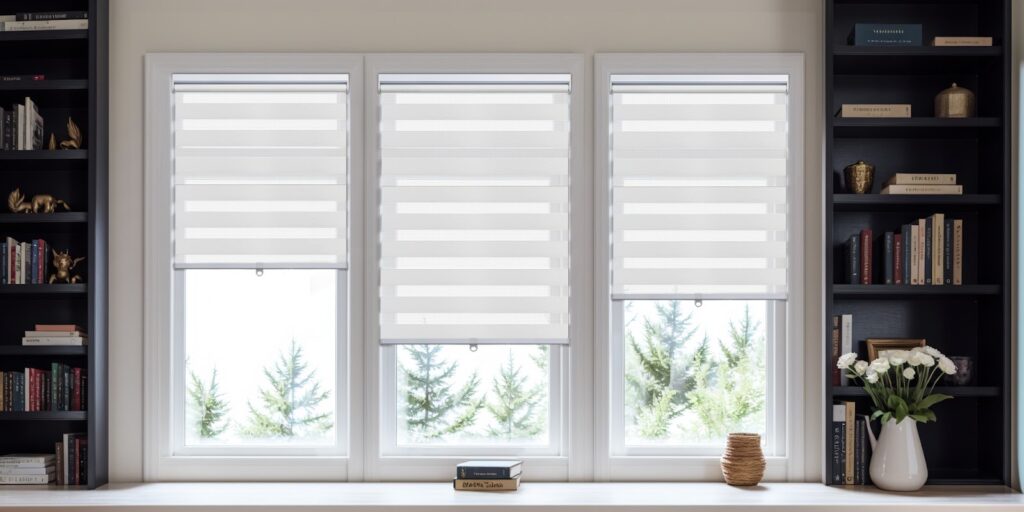
Window shades quietly make your home more comfortable and good-looking, they are more than just window coverings. They help control sunlight, improve privacy and save energy.
The right window shades will make a huge difference to the look and feel of your home, whether you live in an apartment or a house. We’ll explore how window treatments can enhance indoor comfort and style and why they are a good choice for any house.
1. Control Natural Light Easily
Sunlight is a wonderful way to brighten your home, but too much sun can cause glares and heat. Furniture can even be faded. Window shades let you control the amount of light coming into a room.
You can choose different types based upon your needs.
- Light-filtering shades let in a soft, natural light while reducing the glare.
- Blackout shades can be used in bedrooms and nurseries to block out light.
- Skylight shades make it easy to cover roof windows. They can help control the sunlight coming from above. This will keep your space cool, comfortable and allow daylight to enter.
By controlling sunlight, you can create the ideal environment for work, rest or relaxation.
2. Maintain a Comfortable Temperature
Window shades don’t just improve how your room looks, they also help control the temperature inside. Summer sunlight can make a home uncomfortable and hot. In winter, uncovered windows can let heat out.
Options that are energy-efficient, like cellular shades or honeycomb shades, create an air cushion to act as insulation. It keeps your rooms cool in the summer and warm in the winter.
Even skylights window blinds can help to prevent heat buildup, by blocking direct sunlight through your roof’s windows. The air conditioner will have to work less, which saves you money and energy.
3. Add Privacy Without Blocking Light
Privacy is very important, particularly in busy areas or apartments. Window shades allow you to enjoy the natural light of your home without being seen by others.
Sheer Shades and Zebra Shades both offer great options. They let in sunlight while maintaining privacy. No drill blinds can be used if you rent your home, or if you don’t want holes drilled into the walls. They are easy to remove and install, and provide privacy and style with no permanent changes.
These brackets or clips are ideal for use in rental apartments, living rooms, bedrooms and even bedrooms.
4. Boost Look and Style of Your Home
The right window shades can transform the look of a room. The right shades will completely transform the look of your room.
- Roller Shades provide a modern and clean appearance.
- Roman shades add a touch of elegance and softness.
- Woven wood or bamboo shades give a warm and natural feel.
- Skylight Shades will give your ceiling windows a finished, sleek look.
- No Drill Blinds are seamless and neatly designed. There are no visible holes.
Choose from a variety of fabrics, colors and textures that match the theme of your home. There’s a color that will fit your style, whether it is minimalist, classic, or modern.
5. Protect Furniture and Flooring from Sun Damage
Sunlight can be beautiful but it can also damage carpets, furniture, and flooring. Over time, UV-rays can fade fabric and wood finishes.
Window shades provide a protective barrier. Light-filtering or UV-blocking shades keep harmful rays at bay while allowing natural light to enter.
Skylight shades reduce the direct exposure of sunlight to your floors and furnishings, helping them stay in excellent condition for years.
6. Enjoy Convenience with Smart or No-Drill Options
Modern window shades have been designed to make life easier. Smart or motorized shades can be operated with a smartphone, remote control, or voice command. They can be opened or closed without having to leave your seat. This makes them ideal for skylights or large windows.
On the other hand no-drill window blinds are easy to install and quick. Install them in minutes, without damaging your wall or using any tools. Renters, students and anyone else who values flexibility and convenience will love these options.
7. Reduce Outside Noise
Some window shades, such as fabric or cellular shades, can also crowd out external noise. By absorbing sound, they take the din away to a still peaceful home for oneself
On this matter, being right by a noisy street or living on a floor with lots of outside sounds can be a real problem. A quieter home means you can relax and feel more at ease.
8. Easy to Clean and Maintain
Heavy curtains are difficult to clean. Window shades, on the other hand, are easy to maintain.
- Fabric Shades Can be lightly vacuumed or dust.
- Blinds made of vinyl, bamboo or without drilling are easily cleaned with a damp rag.
- Skylight Shades have smooth surfaces and don’t collect much dust. They are low maintenance.
Your shades will last years with minimal effort.
Conclusion
Beyond serving as window coverings, shades are a very easy and handsome means to better your indoor decor or living. Window shades can with simple effort, manipulate light and temperature, and simultaneously, impart a bit more privacy to your living environment.
There’s a shade for every lifestyle, whether you prefer a time-honored look or the latest in modern design. With the right window shades, you can create a warm, beautiful, and distinctive enough that the whole household feels comfortable to live in.